No Products in the Cart


Visible wall clocks support punctuality and time awareness in UK offices, making them far more than decorative pieces. Despite reliance on smartphones and digital calendars, wall clocks remain powerful tools for punctuality and productivity. This guide explains how office managers can deploy wall clocks to improve workplace time awareness, reduce stress and strengthen coordination across teams.
| Point | Details |
|---|---|
| Reduced Anxiety | Visible wall clocks can help reduce time-related workplace stress, supporting calmer working environments. |
| Precision Timing | Radio-controlled clocks keep accurate time across the office by synchronising automatically with the UK atomic time signal. |
| Strategic Placement | Placing clocks at eye level in communal areas improves time awareness and can improve punctuality. |
| Complementary Technology | Wall clocks used alongside digital tools reduce distraction and help prevent scheduling friction. |
| Deadline Performance | Clear, visible time displays support better meeting discipline and deadline awareness across teams. |
Wall clocks remain common in workplaces because they provide constant, passive time awareness without requiring employees to unlock phones or switch screens. A visible clock supports focus by delivering time information at a glance, helping staff manage meetings, breaks and deadlines with less disruption.
Office managers in the UK often deal with punctuality, meeting coordination and deadline adherence. Small timing issues add up: late meeting starts, missed handovers and inconsistent schedule discipline can reduce productivity and increase frustration.
Radio-controlled wall clocks provide a modern solution by synchronising automatically with the UK atomic time signal. The main clock types for offices include:
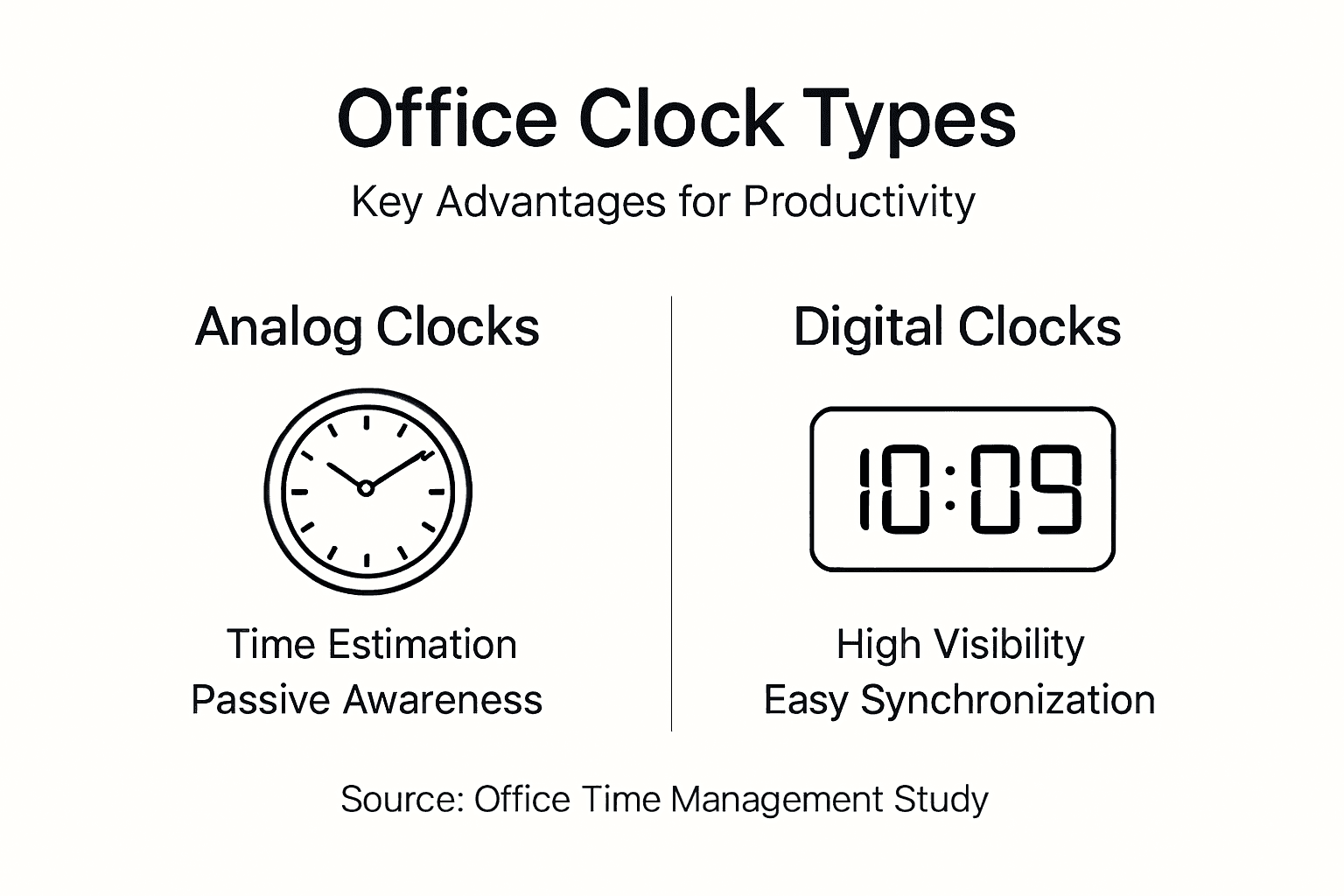
Visual time cues influence behaviour differently from digital notifications. A wall clock supports passive time awareness, allowing employees to monitor time without actively engaging with a device. This reduces unnecessary context switching and helps maintain concentration during focused work.
When staff can glance at a clock and instantly confirm the time, they often feel more in control of the day. Better time awareness reduces stress around lateness and helps teams keep meetings and shared tasks on schedule.
Constant visual access to time information can reduce cognitive load and help employees self-regulate schedules more effectively.
Common improvements after installing visible clocks include:
Selecting the right clock type affects practical value in different areas of your workplace.
Radio-controlled wall clocks synchronise automatically with the UK atomic time signal, reducing drift and ensuring all rooms display the same time. This is especially helpful for reception areas, meeting rooms and offices coordinating across multiple departments. For precision-focused environments, see: radio controlled digital-analogue style clocks.
Analogue wall clocks are excellent for meeting rooms because the clock face makes it easy to judge time remaining at a glance.

Digital wall clocks offer high visibility and clear numeric displays. They work well in open-plan spaces, corridors and reception desks. Some models display temperature and humidity, supporting workplace comfort monitoring. Consider: radio controlled LCD clocks.
| Clock Type | Best For | Key Advantage | Accuracy |
|---|---|---|---|
| Radio-Controlled Analogue | Meeting rooms, executive offices | Intuitive reading with automatic time sync | High (auto-synchronised) |
| Digital LCD | Reception, open-plan spaces | High visibility, optional extra data | High (radio-controlled models) |
| Traditional Analogue | Small offices, personal spaces | Simple, cost-effective | Good (battery quartz movement) |
| Combination Digital/Analogue | Multi-purpose spaces | Flexible viewing preferences | High (radio-controlled models) |
Tip: Use analogue clocks in meeting rooms and break areas for time awareness, and digital or radio-controlled displays in reception and coordination-heavy zones for clear, accurate timing.
Placement determines whether a clock supports workflow or becomes background decor. Mount clocks at eye level in high-traffic communal areas to encourage passive visibility.
Recommended placement zones:
Maintenance essentials:
Misconception 1: Everyone has a smartphone, so wall clocks are redundant.
Checking phones interrupts concentration and increases distraction through notifications. Wall clocks provide time information without encouraging device use.
Misconception 2: Digital calendars remove the need for visible clocks.
Digital tools are excellent for planning. Wall clocks support passive awareness, helping employees avoid running late without needing active engagement.
Misconception 3: Small offices don’t benefit from visible time displays.
Smaller teams still need shared reference points. A visible clock reduces confusion and supports meeting discipline.
Misconception 4: Placement doesn’t matter.
Poorly positioned clocks become effectively invisible. Eye-level placement in communal spaces is what drives behavioural change.
Visible wall clocks provide passive time awareness that digital systems cannot replicate without introducing distraction.
Key truths for modern offices:
Effective workplace time awareness comes from a combination of the right clock types and strategic placement. Identify time-critical zones first: reception, meeting rooms, break areas, and central walkways.
Use analogue clocks where estimating time remaining matters (meetings, collaborative spaces) and radio-controlled digital displays where high visibility and precise coordination are required (reception, project zones).
Ensure all clocks show the same time. Mixed times across rooms cause confusion and reduce confidence. Radio-controlled clocks help maintain consistency by synchronising automatically with the UK time signal.
| Implementation Phase | Action Items | Expected Outcome | Timeline |
|---|---|---|---|
| Assessment | Map time-critical zones and sight lines | Clear placement plan | Week 1 |
| Installation | Mount clocks at eye level in priority locations | Improved time visibility | Week 2 |
| Synchronisation | Verify identical time on all clocks | Reduced confusion | Week 2 |
| Monitoring | Track meeting punctuality and workflow feedback | Measurable improvement | Months 1–3 |
| Optimisation | Adjust placement based on real usage | Maximum effectiveness | Month 4+ |
Document placement and battery replacement schedules to keep timekeeping consistent across the workplace, especially if you expand to multiple office locations.
Improve workplace time management with radio controlled wall clocks designed for UK offices. Youshiko’s clocks synchronise automatically with the UK atomic time signal, helping teams operate on consistent time across meeting rooms, reception and shared spaces.
For high-visibility areas, radio-controlled LCD models provide clear, easy-to-read displays. For meeting rooms, digital-analogue style wall clocks support intuitive time awareness. You can also explore weather stations with integrated radio-controlled clocks to display time alongside temperature and humidity. All products include UK warranty coverage and local after-sales support.
Radio-controlled digital clocks suit reception areas and open-plan offices where visibility and accuracy matter. Analogue clocks work well in meeting rooms where the clock face supports quick time estimation. Combination formats can suit multi-purpose spaces.
Wall clocks usually complement scheduling software rather than integrate directly. Digital systems handle planning, while wall clocks provide passive time awareness that reduces lateness and meeting overruns.
Replace batteries annually before they fully deplete. Check synchronisation monthly, especially after battery changes. Clean faces quarterly to maintain visibility and a professional appearance.
Yes. Wall clocks reduce device-checking and distraction by providing time at a glance without breaking concentration or inviting notifications.
Mount clocks at eye level in communal areas: reception, kitchens, meeting rooms and main walkways. Ensure clear sight lines across open-plan desks and avoid corners, overly high positions or locations behind typical seating.
